Let's Walk Through Each Step
Detailed instructions with screenshots and pro tips to help you succeed
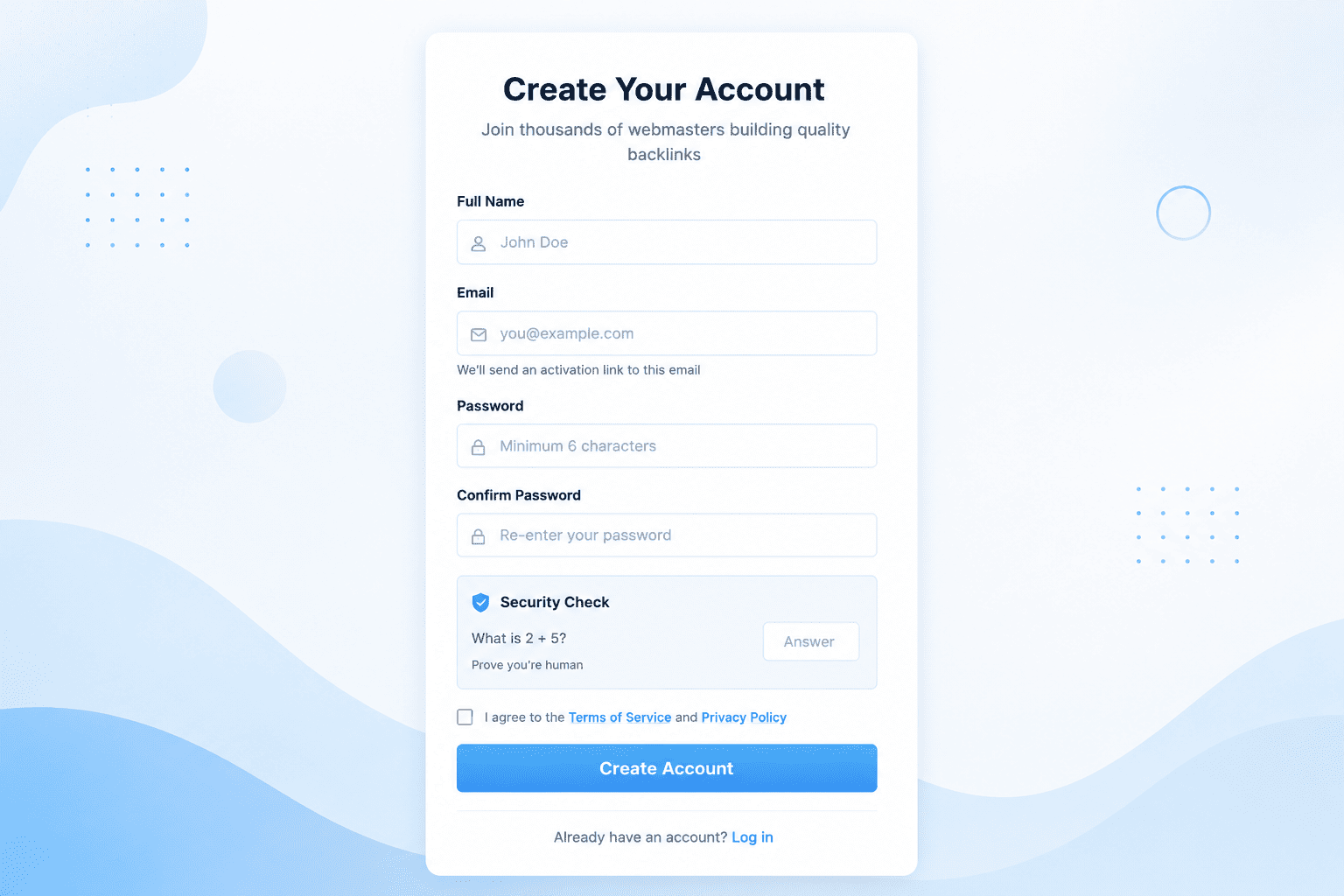
Create Your Free Account
Getting started with PakSurf takes less than 30 seconds. Simply visit our registration page and fill in your details. No credit card required - you can start with our free plan and upgrade anytime.
- Free forever plan - No credit card needed
- Email verification - Secure your account
- Instant access - Start building backlinks immediately
💡 Pro Tip: Use a real email address - you'll need to verify it to access your dashboard. Check your spam folder if you don't see the verification email.
Add Your Website
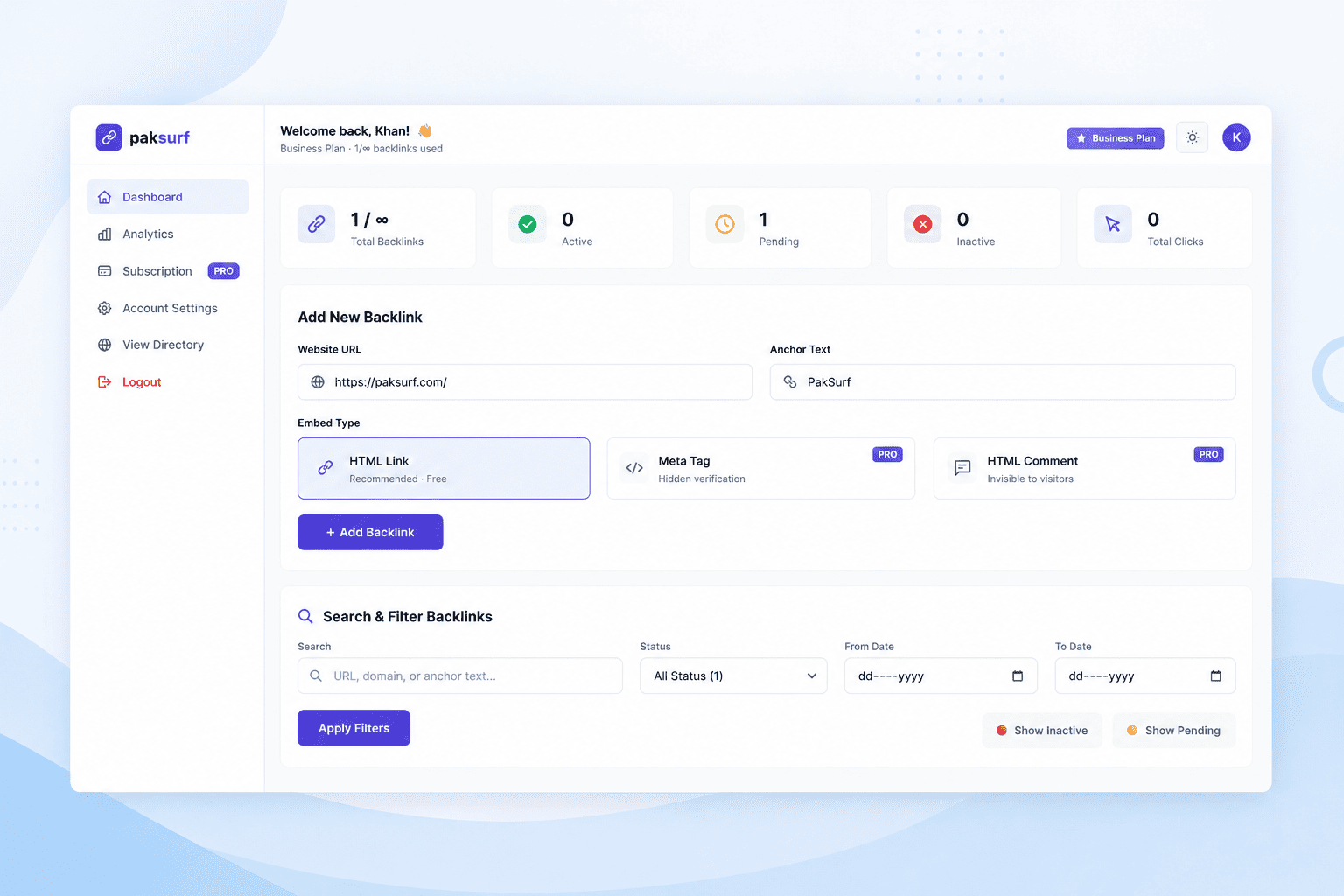
Once you're logged in, you'll see your dashboard. Click the "Add New Backlink" button at the top. Enter your website URL and choose the anchor text you want to use for your backlink.
- Website URL - The page where you'll embed our code
- Anchor Text - The clickable text for your backlink
- Unique Token - Automatically generated for verification
💡 Pro Tip: Choose anchor text that's relevant to your website's content. Avoid generic text like "click here" - use descriptive keywords instead.
Embed the Verification Code
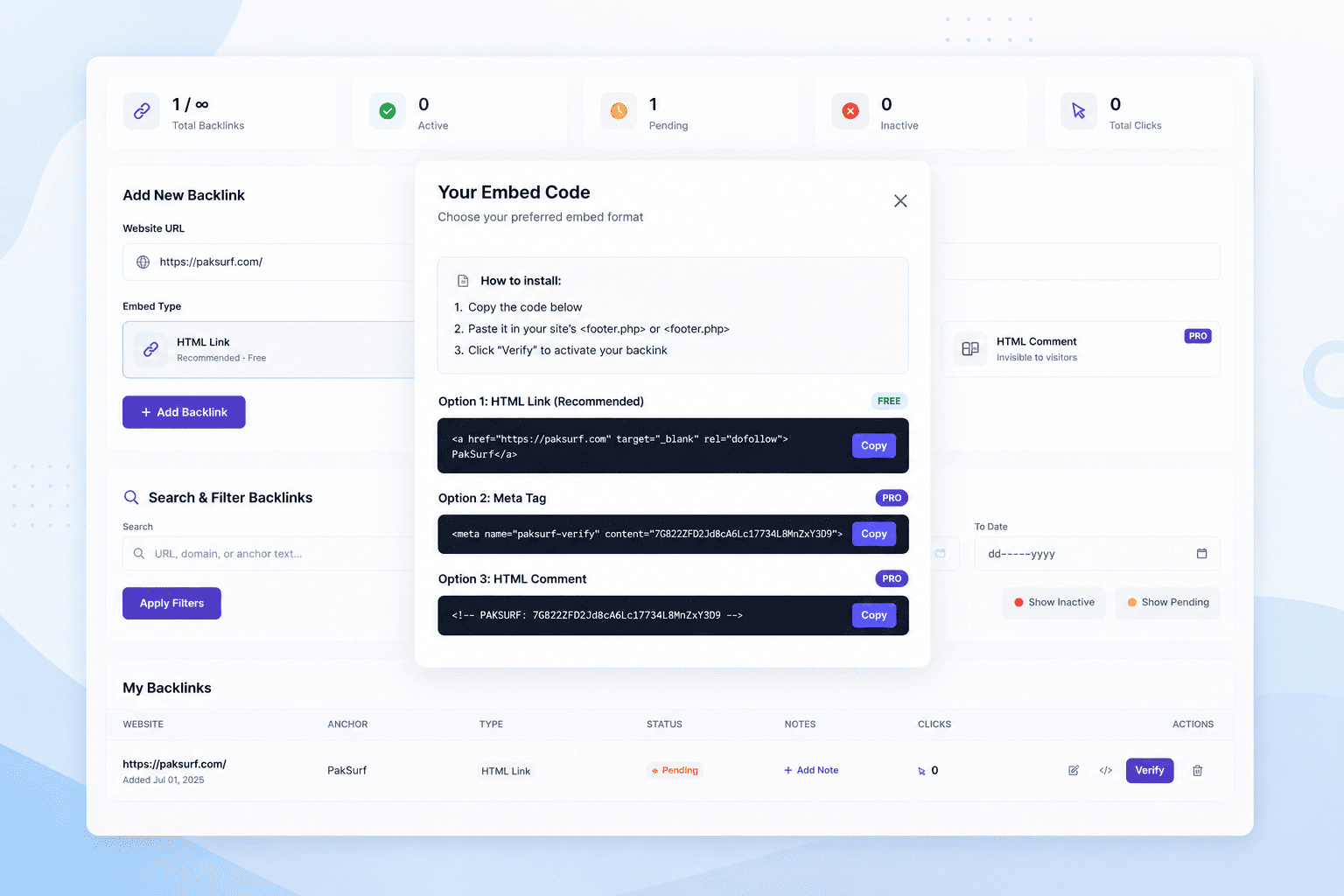
After adding your website, PakSurf generates a unique verification code. Click the code icon next to your backlink in the dashboard to see your code. You have three embed options to choose from.
Three Embed Options:
HTML Link (Free)
A visible link that's great for SEO. Can be styled to match your site.
Meta Tag (Pro/Business)
Hidden in the page header. Invisible to visitors but verifiable.
HTML Comment (Pro/Business)
Completely invisible comment. Can be placed anywhere in your HTML.
Copy the code and paste it into your website's header.php or footer.php file. If you're using WordPress, you can use a plugin like "Insert Headers and Footers" to add the code without editing theme files.
💡 Pro Tip: Don't modify the code in any way - even a single character change will break verification. Copy and paste it exactly as shown.
Verify & Go Live!
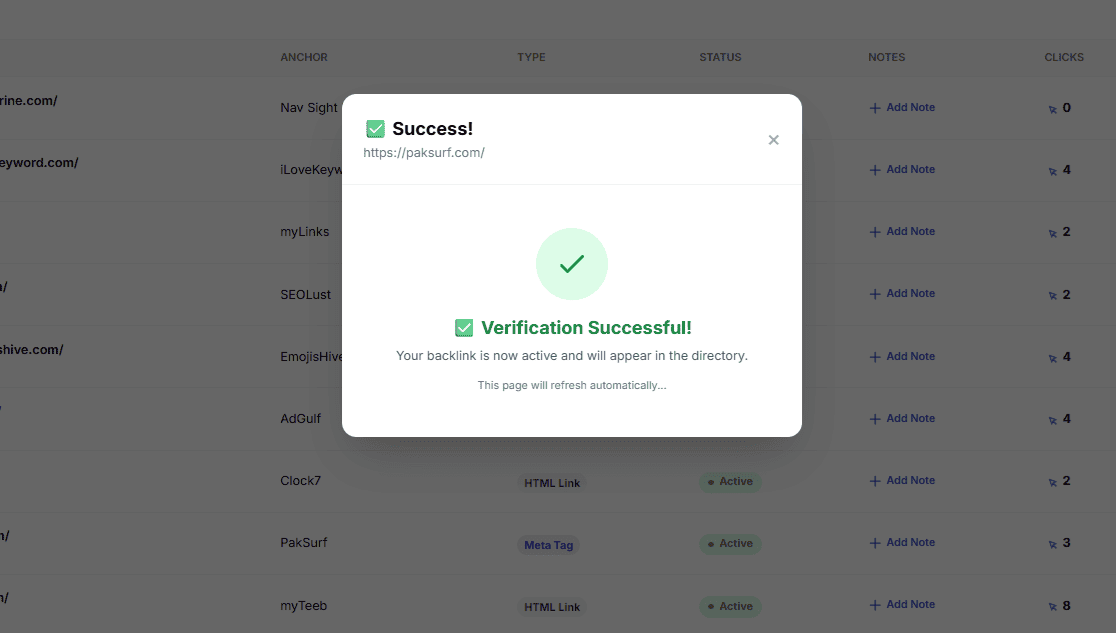
Once you've embedded the code on your website, go back to your PakSurf dashboard and click the "Verify" button next to your backlink. Our system will scan your website and check if the code is present.
What Happens Next:
- ✅ Your backlink status changes to "Active"
- ✅ Your website is listed in our public directory
- ✅ You start receiving a high-quality dofollow backlink
- ✅ We monitor your backlink automatically (hourly/daily)
- ✅ You can track clicks and analytics in real-time
If verification fails, don't worry! Double-check that you pasted the code correctly and wait a few minutes for your website to update. You can click "Verify" as many times as you need.
💡 Pro Tip: If you're using a caching plugin or CDN, clear the cache after embedding the code. Otherwise, our system might not see the updated page.